Bluetooth security cameras occupy a curious niche in home monitoring. They’re not as common as Wi-Fi models, but they solve a specific problem: direct, local access without internet dependency. If you’ve dealt with spotty router signals, cloud subscription fatigue, or just want a camera that pairs directly to your phone like a speaker does, Bluetooth might be worth considering. That said, they’re not for everyone. Range is limited, remote viewing gets tricky, and they work best in specific setups. This guide walks through what Bluetooth cameras actually do, where they shine, and whether they’re the right fit for your home security plan.
Table of Contents
ToggleKey Takeaways
- Bluetooth security cameras connect directly to smartphones within 30-100 feet without requiring internet or cloud subscriptions, making them ideal for local, privacy-focused monitoring in specific home setups.
- A Bluetooth security camera excels for close-range coverage like front porches, garages, and detached structures where Wi-Fi signals are weak or network congestion is a concern.
- Range limitations, lack of remote access, and weaker AI features mean Bluetooth cameras work best as supplementary devices for targeted areas rather than whole-home security solutions.
- Choose cameras with at least 1080p resolution, IP65+ weatherproofing for outdoor use, local microSD storage (128GB minimum for weeks of motion-only footage), and adjustable motion zones to reduce false alerts.
- Test Bluetooth connectivity at your planned mount location before installation, mount cameras 7-9 feet high at a slight angle for facial recognition, and keep wired power cables protected in outdoor conduit to prevent weather damage.
- Hybrid Bluetooth/Wi-Fi models offer flexibility for homeowners who want simple local viewing at home but occasional remote access when away.
What Are Bluetooth Security Cameras and How Do They Work?
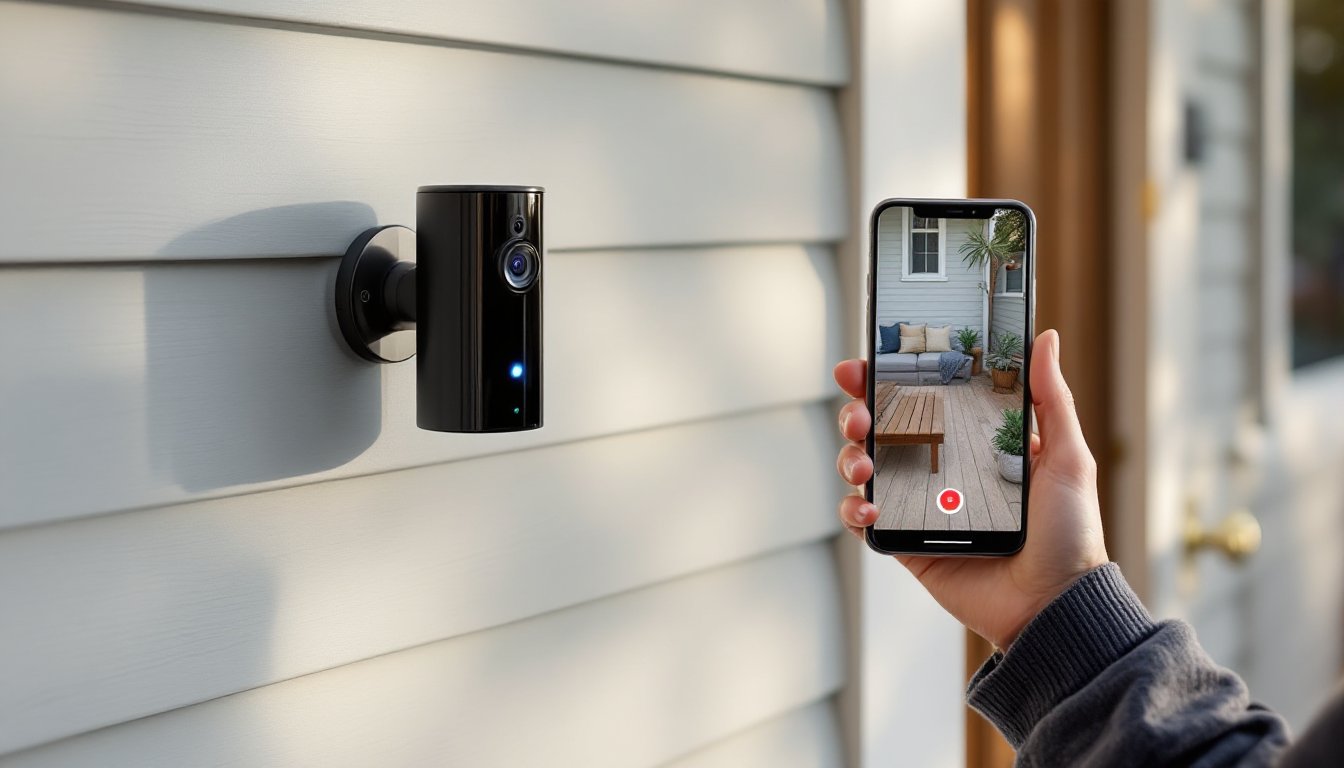
A Bluetooth security camera connects directly to a smartphone or tablet using Bluetooth Low Energy (BLE) protocol, the same wireless standard that links your phone to headphones or fitness trackers. Unlike Wi-Fi cameras that route through a home network and often to a cloud server, Bluetooth models establish a peer-to-peer connection within roughly 30 to 100 feet, depending on obstacles.
Most Bluetooth cameras still record to local storage, either onboard microSD cards or a paired base station. Some hybrid models use Bluetooth for initial setup and live viewing, then switch to Wi-Fi for cloud uploads or remote access. Pure Bluetooth units keep footage entirely local, which appeals to users wary of cloud breaches or monthly fees.
Power delivery varies. Battery-powered Bluetooth cameras can last three to six months per charge since BLE draws minimal power. Wired models plug into standard 120V outlets or USB power adapters. Motion activation and scheduled recording help extend battery life further.
The camera streams video to your phone when you’re in Bluetooth range. Step outside that bubble, and live viewing stops unless the camera has a secondary connection method. Notifications for motion events can still work if the camera pairs with a hub that has internet access, but that adds another layer of hardware.
Key Benefits of Choosing Bluetooth Over Wi-Fi Security Cameras
No network congestion. Bluetooth cameras don’t compete for bandwidth with your laptops, streaming devices, and smart thermostats. If your home network is already maxed out or your router sits far from the camera location, Bluetooth sidesteps the bottleneck entirely.
Simpler setup. Pairing a Bluetooth camera takes seconds, open the app, hit pair, done. No SSID passwords, no 2.4GHz vs. 5GHz debates, no port forwarding. It’s plug-and-pair simplicity, which matters if you’re setting up a camera in a garage, shed, or rental where you can’t access the landlord’s router settings.
Enhanced privacy. Data stays local. Footage writes to a microSD card or local hub rather than uploading to a third-party server. For users concerned about cloud hacks, terms-of-service changes, or law enforcement requests to service providers, a Bluetooth camera with local storage offers more control.
Lower ongoing costs. Most Bluetooth cameras skip the subscription model. You’re not paying $5 to $30 per month for cloud storage because there’s no cloud. Buy the hardware once, and you’re done. That’s appealing for budget-conscious DIYers or anyone managing multiple camera locations.
Less interference from internet outages. If your ISP goes down, a Bluetooth camera keeps recording locally. You lose remote viewing, but motion-triggered clips still save to the card. When you’re back in range, you can review what happened.
Limitations and Drawbacks to Consider
Range is the elephant in the room. Bluetooth’s 30- to 100-foot radius shrinks fast through walls, metal siding, or brick. A camera mounted on a detached garage 80 feet from your phone might flicker in and out of connection. If you need coverage across a large property, smart home product reviews often recommend Wi-Fi or cellular models instead.
No remote access without workarounds. Leave home, and you can’t check the live feed unless the camera has a hybrid mode or pairs with a hub connected to the internet. Pure Bluetooth cameras are view-when-you’re-home devices, which defeats part of the security appeal for travelers or folks who want to peek in on deliveries from the office.
Notification delays. Some Bluetooth cameras require the paired phone to stay nearby for motion alerts. If your phone’s out of range, you won’t get pinged until you reconnect. Hybrid models with a hub can push alerts via Wi-Fi, but then you’re back to needing a stable network.
Limited multi-user access. Bluetooth pairs one-to-one by default. Sharing camera access with a spouse, roommate, or tenant often requires factory resets and re-pairing, or purchasing a camera that supports multiple profiles, a feature not all budget models include.
Shorter feature lists. Bluetooth cameras lag behind Wi-Fi models in AI-driven features like person detection, package recognition, or facial identification. Processing power and firmware updates are typically leaner, so expect basic motion zones and less sophisticated alerts.
Essential Features to Look for When Shopping
Resolution and night vision. Aim for at least 1080p video. Lower resolutions make it hard to identify faces or read license plates. Infrared LEDs should provide 20 to 30 feet of night visibility. Color night vision, which uses an ambient light sensor and spotlight, is a premium feature but helpful if you need to distinguish clothing or vehicle colors after dark.
Local storage capacity. Check the maximum microSD card size supported, many cameras cap at 128GB or 256GB. At 1080p with motion-only recording, 128GB holds roughly two to four weeks of clips depending on activity. Look for loop recording so the camera overwrites the oldest files automatically.
Battery life vs. wired power. Battery models offer flexible placement but require recharging every few months. If you’re mounting a camera above a second-story eave, that’s a hassle. Wired Bluetooth cameras need an outlet or low-voltage transformer, which limits placement but eliminates charging duty.
Weather resistance. Outdoor cameras should carry an IP65 rating minimum (dust-tight, protected against water jets). IP66 or IP67 is better for coastal or high-humidity climates. Indoor-only cameras skip the weatherproofing and cost less.
Two-way audio. A built-in mic and speaker let you talk to delivery drivers or warn off trespassers. Audio quality varies, cheaper models sound tinny or echo. Test before mounting if this feature matters.
Motion detection zones. Adjustable zones let you ignore branches swaying in the wind or cars passing on the street, reducing false alerts. Models that let you draw custom polygons on the camera’s field of view offer the most control.
Hybrid connectivity. If you want Bluetooth’s simplicity and the option for remote viewing, look for cameras that support both Bluetooth and Wi-Fi. You can toggle modes depending on whether you’re home or away.
Installation Tips for DIY Homeowners
Test Bluetooth range before drilling. Power the camera on, pair it, then walk to the planned mount location while watching the live feed on your phone. If the connection drops, relocate the camera closer or consider a Bluetooth repeater (rare but available for some ecosystems).
Use the right mounting hardware. Most cameras ship with plastic anchors and screws. Those work for drywall or wood siding. For brick, stucco, or concrete, grab ¼-inch masonry anchors and a hammer drill with a carbide bit. Pre-drill pilot holes to prevent cracking.
Angle the camera 15 to 20 degrees downward. This captures faces and upper bodies rather than the tops of heads. If you’re mounting above a door, aim the lens at the spot where someone’s chest would be when standing three feet from the entry.
Hide or protect the power cable. For wired models, run the cable through ¾-inch PVC conduit if it’s exposed outdoors. Squirrels and weather will chew through bare wire. Use cable clips or staples every 12 inches along siding to keep it tidy.
Charge batteries fully before final installation. Bluetooth cameras often ship with partial charges. Top them off indoors so you’re not climbing a ladder a week later for an unexpected recharge.
Enable motion detection during setup. Walk in front of the camera while adjusting sensitivity. If it triggers on every shadow or gust, dial it down. If it misses you waving your arms, increase the sensitivity or reposition the camera to reduce glare and backlight.
Update firmware before mounting. Many manufacturers push bug fixes and feature improvements in the first few months. Update via the app while the camera’s still on your workbench, not after you’ve sealed it in a weatherproof housing 10 feet up.
Best Placement Strategies for Maximum Coverage
Front door and porch. Mount cameras seven to nine feet off the ground to stay above easy reach but low enough for clear facial ID. Place them to one side of the door rather than directly overhead, you’ll catch more detail at a slight angle. According to connected device guides, angled placement also reduces glare from porch lights.
Driveway and garage. Position cameras to capture license plates and driver-side windows. For driveways, a camera angled across the approach works better than one pointed straight down the length. If your garage is detached and beyond Bluetooth range, a hybrid camera with Wi-Fi fallback makes sense.
Backyard and side gates. These are common entry points for burglars. Mount cameras on eaves or fence posts with a clear view of gate latches and pathways. Avoid aiming cameras at neighboring properties, it’s bad neighbor etiquette and can violate local privacy ordinances.
Ground-floor windows. If your Bluetooth range allows, place a camera inside looking out. This keeps the hardware safe from weather and tampering. Use a window mount or suction cup bracket, and turn off IR LEDs to prevent glare on the glass. Motion detection won’t work through windows, so you’ll rely on continuous recording or manual review.
Second-floor coverage. Bluetooth range struggles with vertical distance through floors. If you need upstairs monitoring, place the paired phone or hub on the same floor, or choose a wired Bluetooth camera that plugs into an upper-story outlet.
Avoid direct sunlight. Cameras facing east or west get washed out at sunrise or sunset. If sun exposure is unavoidable, tilt the camera downward or add a small awning to shade the lens. Home tech trends show that glare remains a top complaint in DIY security installs.
Test from intruder angles. After mounting, walk toward the camera from different paths, sidewalk, driveway, side yard. Verify that the field of view catches movement before someone’s already at the door. Adjust as needed.
Conclusion
Bluetooth security cameras aren’t the default choice for whole-home monitoring, but they excel in close-range, privacy-first scenarios where internet dependency or subscription costs are deal-breakers. If you’re covering a garage workshop, rental unit, or front porch within 50 feet of where you spend most of your time, Bluetooth delivers dead-simple setup and local control. Just respect the range limits, plan for manual footage reviews, and pair thoughtfully. For sprawling properties or remote viewing, Wi-Fi or hybrid models make more sense, but for targeted, hands-on security, Bluetooth still has a role in the DIY toolkit.